
Showing posts with label Digital Set. Show all posts
Showing posts with label Digital Set. Show all posts
Thursday, 24 April 2014

Thursday, 17 April 2014
Fantastic Voyage: Texturing of Digital Set
This are the final images of my objects after they have been textured.
 |
| Study Desk |
 |
| Study Desk |
 |
| Bookshelf |
 |
| Bookshelf |
 |
| Layout of the Room |
 |
| Everything In The Digital Set |
Fantastic Voyage: UV Layout of Digital Set
Before I was able to place any textures on my objects in maya, I had to UV map them first. By doing so, I avoid any kind of distortion to my objects once I place the textures.
 |
| Books, Lamp, Globe, Trees and Ferns |
 |
| Books, Lamp, Globe, Trees and Ferns |
 |
| Wall Posters |
 |
| Bookshelf |
 |
| Bookshelf |
 |
| Layout of the Room |
 |
| Everything in the Digital Set |
Thursday, 10 April 2014
Fantastic Voyage: Wordings' Refinements
I've decided to add a bit of texture to my words that folds out to give it an extra edge of realism because it was too plain and too clean when there was not any.

Wednesday, 9 April 2014
Fantastic Voyage: Room(Digital Set) Refinements
For my digital set, I've gone to texture the bookshelf, added a glass texture to my window surface and shadows to the scene.
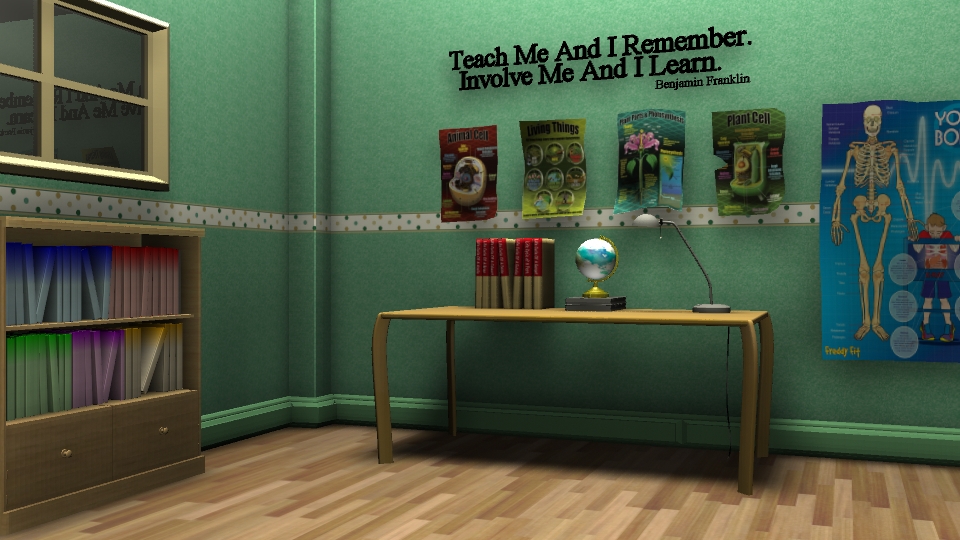
Currently, the glass seems to be too reflective and it looks more like a mirror. I am correcting that and in terms of the overall lighting, I am quite satisfied with it.
Tuesday, 8 April 2014
Fantastic Voyage: Room(Digital Set) Further Development
I've added the skirting board, adjusted the borders and the colour of the main wall. Though it has been suggested to add a poster to the back wall, I do not want it to be overpowering the educational posters that are already on those walls so I've added a bit of texture to it but it doesn't seem to take effect. Hence, I will try bump mapping it to give a more realistic feel. Apart from that, I was thinking of adding a couple more poster to the left wall (by the window) as the space there seems a little bit empty. In addition to the further enhance this set, I've done some adjustments in terms of adding folds onto the posters. However, it still looks unrealistic. The lack of shadow might be a contributing factor to this problem.

In comparison to my previous shot, this looks better but I am not satisfied with the overall look as it still looks too CG. I will further enhance the scene by fiddling with my lighting set up and I have decided that this will take place at evening time where the light from the outside world would not affect the scene as much except giving some rim lighting to the top of the bookshelf and the edge of the table.
Monday, 7 April 2014
Fantastic Voyage: Room(Digital Set) Texturing & Lighting
After taking into the consideration to make my digital set more engaging, I've added texture to the wall and the ground. I've also added an educational quote and posters into my scene.
I still have to unlink the spotlight to the table as the light is passing through it. As for now, this is what I have. I also still adjusting the room's light in general because there is a hotspot created by the area light in my scene. In terms of texturing it, I would refine the wall's texture by moving the border of the room slightly higher.
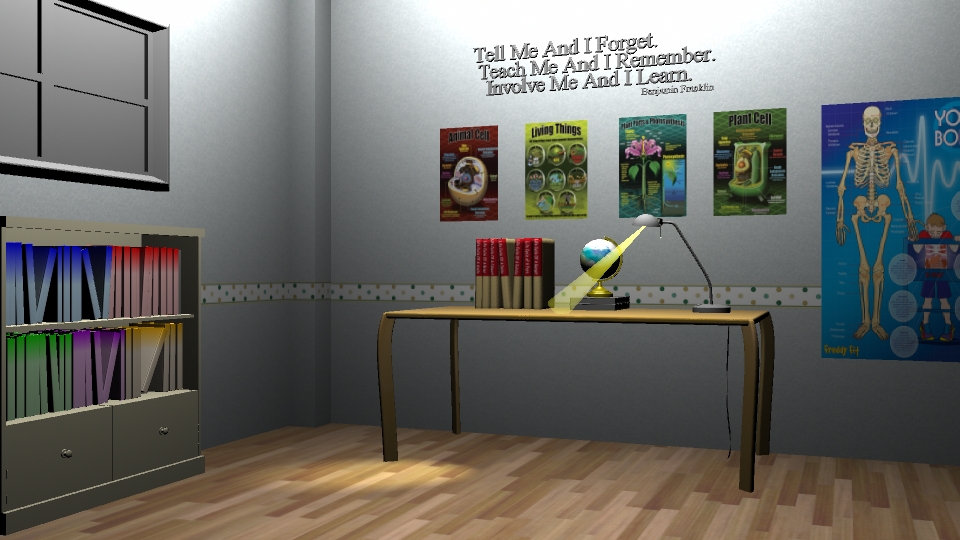
I still have to unlink the spotlight to the table as the light is passing through it. As for now, this is what I have. I also still adjusting the room's light in general because there is a hotspot created by the area light in my scene. In terms of texturing it, I would refine the wall's texture by moving the border of the room slightly higher.
Thursday, 12 December 2013
Secret Lair : Final Clockwork Priestess' Secret Lair
I am very pleased with how my final outcome as it is similar to what I have in my initial concept art except for the few changes in lighting. I did not thoroughly consider it in my concept art but pushed it further when I did my lair.
 |
| Final Concept Art |
 |
| Final Render |
Wednesday, 11 December 2013
@Alan Secret Lair: Clockwork Priestess Lair Final Render Problem
This is my final rendered scene but I am having difficulty with the glow. I've checked all my settings and it is the same as the ones in the tutorials. As I have candle lamps around my lair, I would need it to emit light and glow. After rendering the whole scene, my glow doesn't appear. It only appears when I select a region of it to render. What could possibly be the problem though?
 |
| Final Render |
 |
| Region Render |
Secret Lair: Clockwork Priestess Lair Further Development
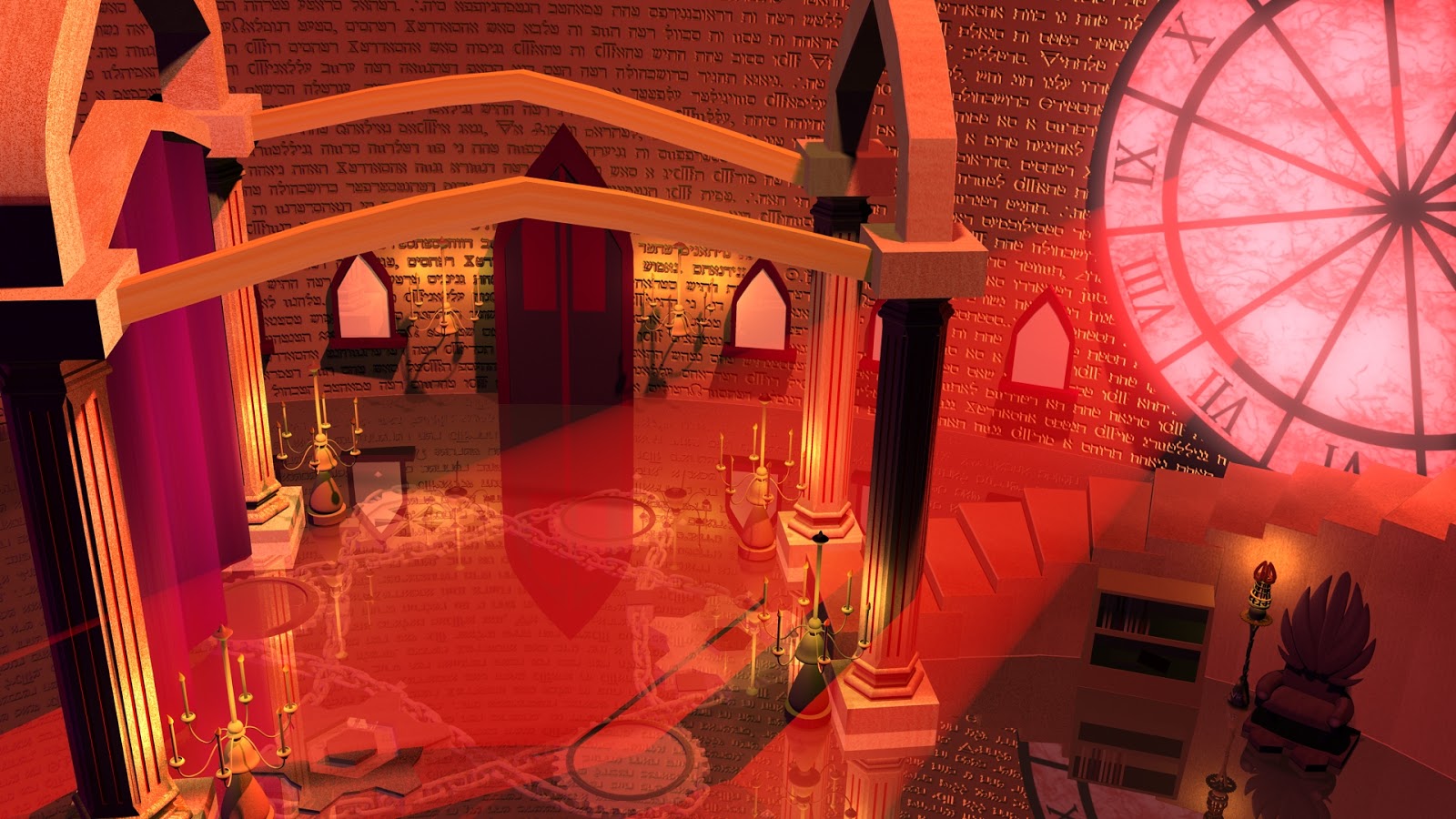
Initially, after my render as seen in Figure 1, I thought I was done. But since I had more time, I went back in to tweak the lightings as seen in Figure 2. It is not my final image yet as I am still trying to push the lighting by adding rim lights to the pillars near the clock and a speck of highlights to the other column.
 |
| Figure 1 |
 |
| Figure 2 |
Sunday, 8 December 2013


Thursday, 5 December 2013
Secret Lair: Clockwork Priestess Lair's Development
Here are my developments to my lair. Once I got the lighting set up, I added textures to the scene. From 14 to 15, after I got all the lights in, including the wall lamps, I added the Hebrew engravements to the wall and the gears with the chains below the glass surface of my ground. In 16, I added the drapes and added texture and lighting to it so that it matches my Final Concept.
 |
| 14. |
 |
| 15. |
 |
| 16. |
Wednesday, 4 December 2013
Secret Lair: Clockwork Priestess Lair's Lighting Test Development
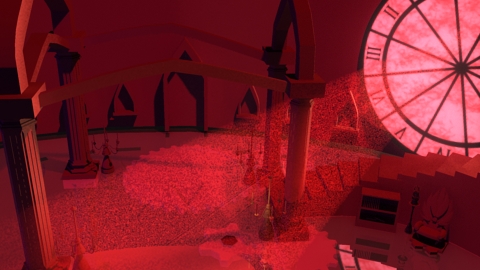
I continued with my lighting test for my scene. 9 and 10 was a little purplish and the light ray was not working well so I made adjustments by plugging in the ambient occlusion as suggested. My scene turned out to be better so I continued adding candle lights around the lair as seen in 11 -13. Colours in this images are a little washed out and it doesn"t look like my rendered image.
Is there a way I should have done to save the image in Maya so that it doesn't washes out when I upload it to blogger?
 |
| 9. |
 |
| 10. |
 |
| 11. |
 |
| 12. |
 |
| 13. |
Is there a way I should have done to save the image in Maya so that it doesn't washes out when I upload it to blogger?
Tuesday, 3 December 2013
Secret Lair: Clockwork Priestess Lair's Lighting Test
Before putting in the textures, I have decided to do some light tests for the scene. For number 1 - 3, I played with the intensity of the lights to see how it affects the overall scene. For 4 and 5, I have added an ambient light and played with the colours. In 4, I just had an orange ambient light but in 5, I added a ramp to the colour as I am aiming for a gradual gradient of purple to red lights which is not much of a success.
 |
| 1 |
 |
| 2 |
 |
| 3 |
 |
| 4 |
 |
| 5. |
 |
| 6. |
 |
| 7. |
 |
| 8. |
I am not sure at which stage I should be rendering the images. Is it before or after I plug in the ambient occlusion note?
Saturday, 30 November 2013
Secret Lair: Clockwork Priestess' Lair Progress
 |
| Final Concept |
 |
| Basic Layout |
 |
| Elements Added |
 |
| UV Textured Lair |
Since I've got my lair laid out, I can now focus on adding details like the clock and the chains for the ground.
Friday, 29 November 2013
Secret Lair: Clockwork Priestess' Props (UV Textured)
In my lair, I have this chair and the lamp as part of the props that I have UV textured.
 |
| Chair UV Textured |
 |
| Lamp UV Texture |
Secret Lair: Clockwork Priestess Hero Prop
Taking my drawing of the hero prop as a reference, I went on into Maya to model it out. I like how the stand turned out to be but I may revisit it to make it better.
 |
| Hero Prop Drawing |
 |
| 3D Model |
 |
| UV Mapped |
Subscribe to:
Comments (Atom)