
Wednesday, 16 April 2014
Animation: Bouncing Ball

Tuesday, 15 April 2014
Animation: Bowling Ball
Basic Walk Cycle
Monday, 14 April 2014
Visual Effects: Render Layers (Mental Ray & Matte Passes)
 |
| Setting Up The Render Layers In Maya |
 |
| Bringing The Layers From Maya To Photoshop |
 |
| Plugging In The Matte Layers Under The Channels In Photoshop |
 |
| Final Image Composited In Photoshop |
Visual Effects: Depth Of Field
 |
| Before Any Camera Settings Were Changed In Maya |
 |
| Depth Of Field In Maya Cons: Too Long To Render, Grainy Effect |
The final render that has been composited in Photoshop and After Effects used images from Maya's render layers- The Beauty Pass And The Depth of Field Pass.
 |
| Depth Of Field In Photoshop, with Luminance added to the Alpha Channel Pros: Faster To Composite, More Control over the noise Cons: Single Image Composite |
 |
| Depth Of Field In After Effects Pros: Applicable For An Image Sequence |
Another method from Maya is by using render passes from the render settings. To do this, the camera depth from the tab passes under the render settings is associated to the layer named depth of field under the render layers (Channel Settings).
 |
| Settings |
 |
| Depth Of Field Using Camera Depth Pros: More Accurate In Comparison To Using Luminance Pass |
Visual Effects: Render Layers (Software Rendering)
 |
| Composited in Photoshop With A Single Render Pass From Maya |
 |
| Multiple Render Layers, Each Having Different Attributes |
 |
| The Different Passes From Maya Composited In Photoshop |
 |
| Final Image From The Compositing In Photoshop |
 |
| Compositing In After Effects |
Visual Effects: Stereo Camera Rigs in Photoshop & After Effects
Method 1: Rendering Stereo From Maya
Method 2: Compositing in Photoshop
Method 3: Compositing In After Effects
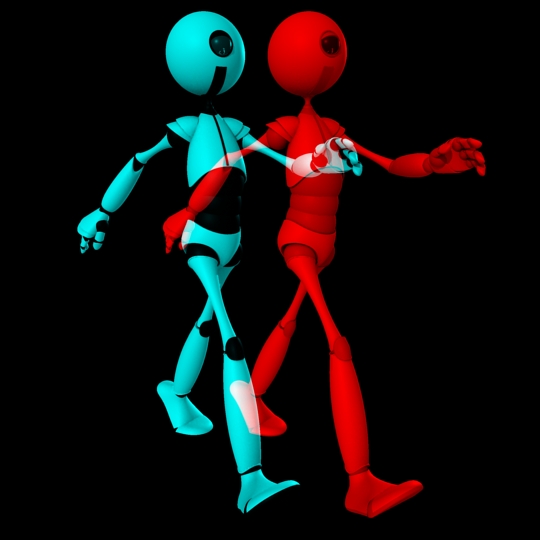
The Outcome Of Using Different Effects In After Effects
 |
| Before Any Settings were changed in Maya |
 |
| Adding The Distance And Calculations |
 |
| Rendered Stereo Image From Maya |
 |
| Compositing In Photoshop |
 |
| Changing The Layer's Blending Mode To Achieve Final Result |
 |
| Final Composited Image From Photoshop |
 |
| Using Set Channels Effects |
 |
| Using 3D Glasses Effects |
Thursday, 10 April 2014
Fantastic Voyage: Wordings' Refinements
I've decided to add a bit of texture to my words that folds out to give it an extra edge of realism because it was too plain and too clean when there was not any.

Wednesday, 9 April 2014
Fantastic Voyage: Room(Digital Set) Refinements
For my digital set, I've gone to texture the bookshelf, added a glass texture to my window surface and shadows to the scene.
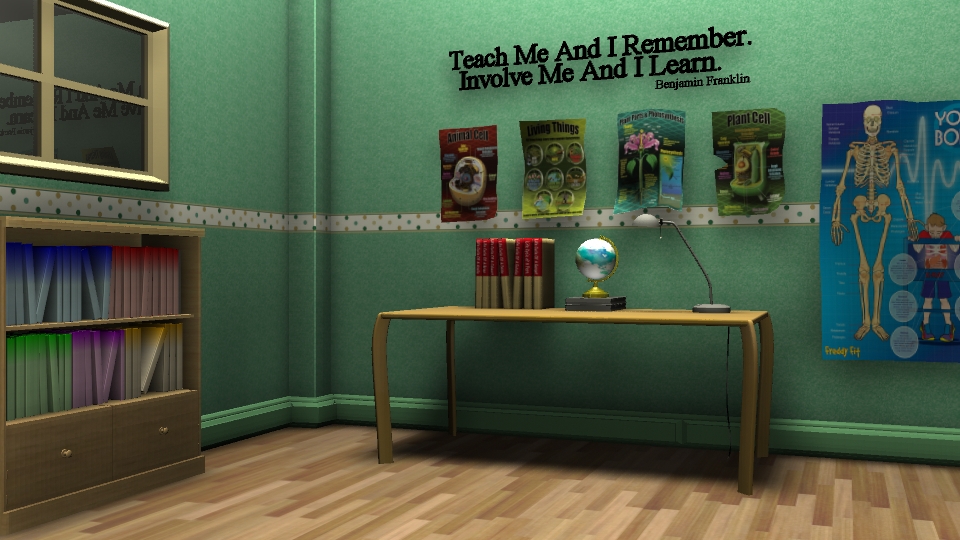
Currently, the glass seems to be too reflective and it looks more like a mirror. I am correcting that and in terms of the overall lighting, I am quite satisfied with it.
Life Drawing Lesson 16
For today's Life Drawing Class, we were told that we could draw what would be beneficial to us so I started by doing postural drawings. I used a different technique than before as I used to draw with definitive lines. I've tried breaking the lines and it turned out to be pretty good.


When it came to doing the details, it became difficult as my medium of choice is charcoal so I switched to do use a pencil instead.

To end of the lesson, we were allowed to either do studies or draw the model and I have chosen to do a study of the leg.


Subscribe to:
Posts (Atom)